

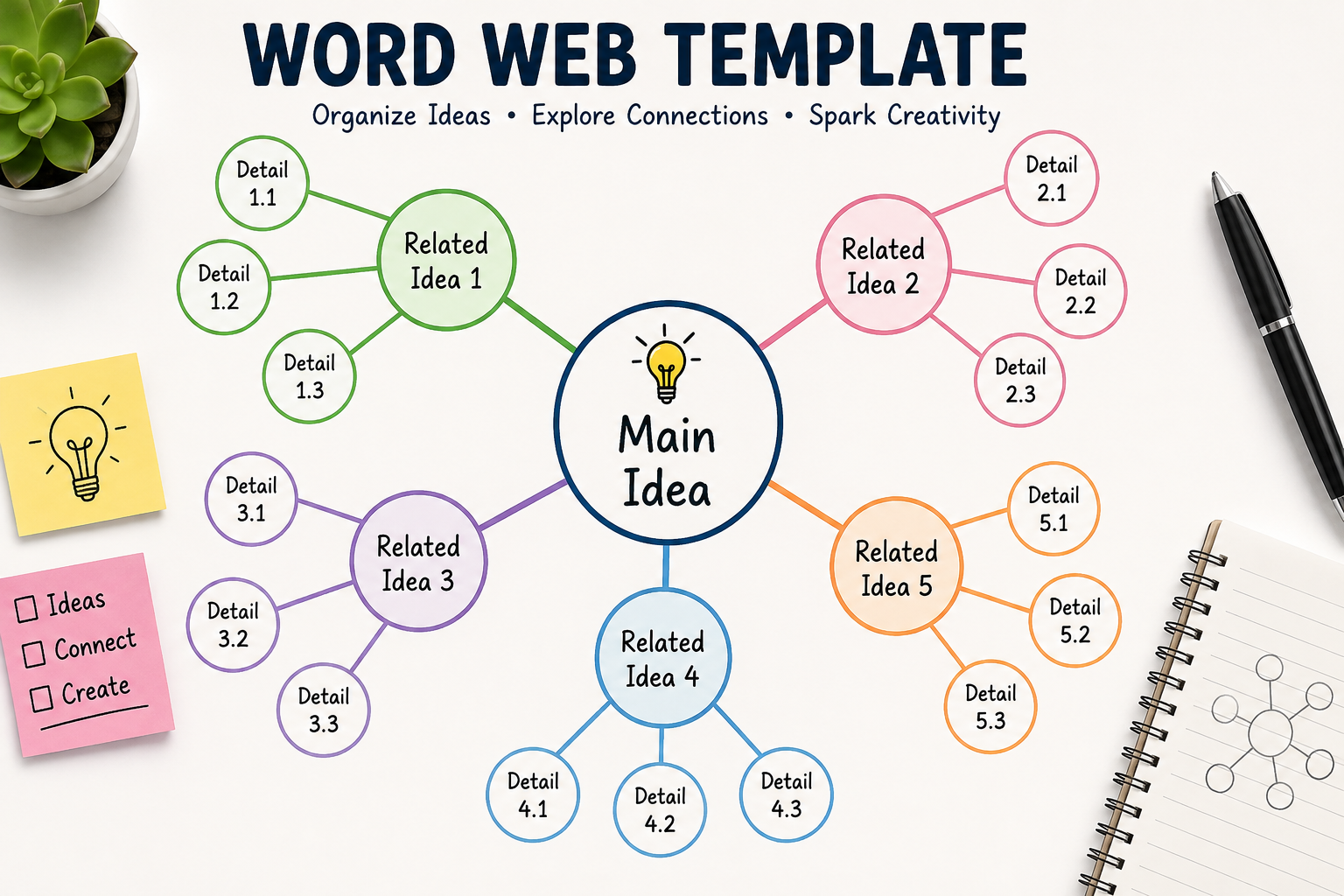
Anyone who has tried to organize scattered thoughts on paper knows how messy it can get. Words connect to other words, ideas branch off into smaller ideas, and before long the page looks more like a tangle than a plan. This is exactly the kind of problem a Word Web Template is built to solve. It gives shape to loose thinking by placing a central word or concept in the middle and letting related ideas spread outward in a clear, connected structure.
Word webs are not a new invention. Teachers have used them for decades to help students expand vocabulary, explore themes in literature, and organize essay ideas before writing. What has changed is how easy it is now to create one. Instead of drawing by hand or fumbling with basic shapes in a word processor, people can use a ready-made Word Web Template to build the same structure digitally, in minutes, with room to edit and rearrange as new ideas come in.
What a Word Web Template Actually Does
At its core, a Word Web Template is a visual diagram that starts with one central idea and branches out into related words, phrases, or subtopics. Picture a circle in the middle labeled with a main concept, with lines extending outward to smaller circles or boxes, each holding a related term. Those smaller nodes can branch further, creating layers of connection.
This structure mirrors how the brain actually processes association. One idea reminds you of another, which reminds you of a third, and so on. A Word Web Template captures that natural flow instead of forcing thoughts into a rigid list or outline. That is part of why it works so well for brainstorming sessions, vocabulary building, and early-stage planning where ideas are still loose and evolving.
Because the format is so flexible, a Word Web Template can be used for almost any subject. A teacher might use one to map out synonyms for a spelling lesson. A marketing team might use one to explore angles for a campaign. A student preparing for an exam might use one to connect historical events to their causes and effects. The template itself doesn’t change much, but the content it holds can be anything.
Why People Turn to a Ready-Made Template Instead of Starting from Scratch
Building a word web from nothing sounds simple, but in practice it takes more effort than expected. Deciding how many branches to include, how to space them, and how to keep the whole thing readable can eat up time that should be spent actually thinking through ideas. A pre-built Word Web Template removes that friction by giving users a structure they can fill in immediately.
This matters more than it might seem. When someone opens a blank canvas, there’s a small mental hurdle before the real work begins. A template skips that hurdle entirely. The shapes are already placed, the connections are already drawn, and all that’s left is typing in the words that matter. For students working under a deadline or professionals running a quick brainstorming session, that saved time adds up.
There’s also a consistency benefit. A Word Web Template keeps every branch proportioned and aligned the same way, so the finished diagram looks clean and professional rather than uneven or rushed. This is especially useful when the diagram will be shared with a class, a team, or a client, since a tidy visual is simply easier to read and trust.
How the Structure Supports Different Kinds of Thinking
One reason a word web works better than a plain list for certain tasks is that it shows relationships, not just items. A list tells you what belongs to a topic. A web tells you how those things relate to each other and to the central idea. That distinction matters when the goal is understanding, not just recording.
Consider vocabulary instruction as an example. A word web centered on a term like “happy” might branch into synonyms such as joyful, content, and cheerful, with each of those branching further into example sentences or related emotions. A student working through this structure isn’t just memorizing a list of words. They’re seeing how the words relate in meaning and tone, which tends to stick better than rote memorization.
The same logic applies outside the classroom. In a business setting, a Word Web Template centered on a product idea might branch into target audience, pricing, competitors, and marketing channels. Seeing all of these connected to one central concept, rather than as separate bullet points, helps teams notice overlaps and gaps they might otherwise miss.
Common Situations Where a Word Web Template Comes in Handy
Education is probably the most common setting for this kind of diagram. Teachers use a Word Web Template to introduce new vocabulary, explore character traits in a novel, or help students plan essays before writing a single sentence. Because the structure is visual, it works well for students who find plain text overwhelming or hard to organize on their own.
Outside the classroom, the same tool shows up in professional brainstorming. Teams trying to generate ideas for a new project often start with a central concept and branch outward, which is exactly what a word web format supports. It keeps the session focused on one core idea while still allowing for wide exploration.
Writers also lean on this structure during the planning stage. Before drafting an article, a blog post, or even a novel outline, mapping out related themes and subtopics with a Word Web Template can reveal connections that wouldn’t have been obvious in a straight outline. It’s less rigid than a formal outline, which makes it a good fit for the messier, earlier stages of writing.
Even personal projects benefit from this format. Planning an event, organizing a move, or mapping out a personal goal can all be clearer when broken into a central idea with branching details, rather than a single overwhelming to-do list.
Building One Without Overcomplicating It
The appeal of a Word Web Template lies in its simplicity, and it helps to keep that simplicity intact when filling one in. Start with a clear central word or phrase. Vague central ideas tend to produce vague branches, so it helps to be specific about the concept sitting in the middle.
From there, add the first layer of branches. These should be the most direct, obvious connections to the central idea. Resist the urge to overthink this stage. The goal at this point is to get ideas down, not to filter them.
Once the first layer is in place, it’s fine to branch further where it makes sense. Not every node needs the same number of sub-branches. Some ideas naturally expand more than others, and a good Word Web Template allows for that unevenness rather than forcing artificial balance.
It’s also worth resisting the temptation to cram too much into one diagram. If a topic is sprawling enough to need dozens of branches, it might be worth splitting it into two separate webs, each centered on a more focused idea. A cluttered diagram defeats the purpose of using a visual structure in the first place.
Digital Tools Have Made the Process Faster
Hand-drawn word webs still have their place, especially in classrooms where students are learning the concept for the first time. But digital versions offer clear advantages once the format is familiar. Editing is instant, so a branch that no longer fits can be deleted or moved without redrawing anything.
A digital Word Web Template also makes collaboration easier. Multiple people can view or contribute to the same diagram, which is useful for team brainstorming sessions or group class projects. Changes update in real time, so everyone is always looking at the current version rather than an outdated printout.
Formatting is another advantage. Digital templates typically offer consistent spacing, readable fonts, and color coding options that would be tedious to replicate by hand. This makes the final diagram easier to present, whether it’s shared in a meeting, printed for a classroom, or exported into a document or slide deck.
Choosing the Right Template for the Task
Not every Word Web Template looks the same, and picking one suited to the task makes a real difference. Some are built with just a handful of branches for simple, focused topics. Others support multiple layers for more complex subjects with several sub-themes.
For classroom vocabulary work, a simpler structure with fewer branches usually works best, since the goal is clarity for students still learning the concept. For business planning or content strategy, a more layered template can better capture the range of factors involved in a decision.
It also helps to consider how the final diagram will be used. A Word Web Template meant for a quick personal brainstorm doesn’t need much polish. One meant for a client presentation or a shared team document benefits from cleaner formatting and more careful organization from the start.
Final Thoughts
A word web might look like a simple diagram, but it does real work in organizing thought. By starting with one central idea and letting related concepts branch outward, it captures the way people naturally think and connect information. Whether the goal is teaching vocabulary, planning a project, or brainstorming a new idea, a Word Web Template offers a structure that’s flexible enough to fit the task and clear enough to make sense of it once the ideas are down. The format doesn’t force rigid thinking, but it does bring order to it, which is often exactly what’s needed before moving on to the next step.
