

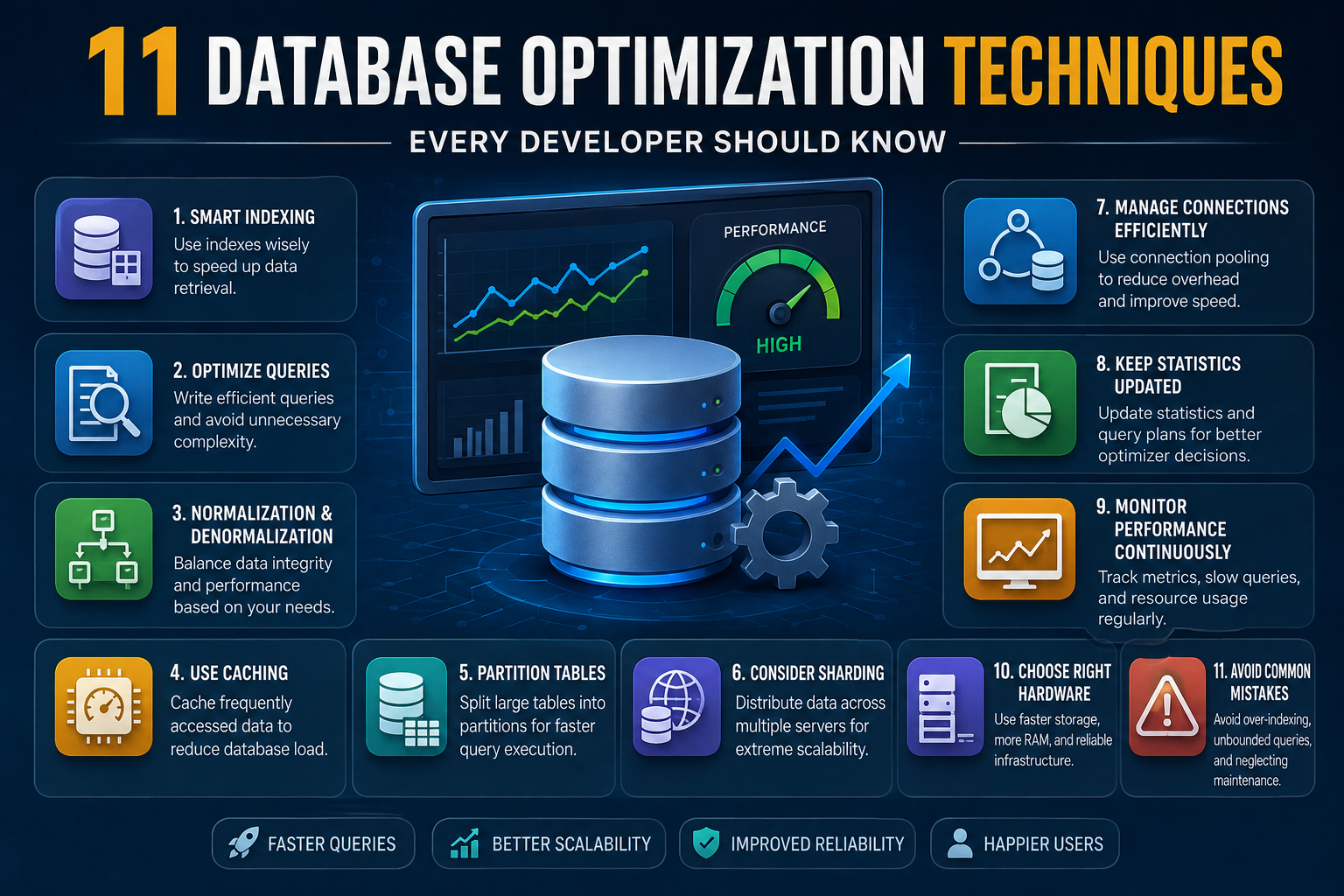
Databases sit at the center of almost every application we use today, from small mobile apps to massive enterprise systems. As data grows, even a well-built database can start to slow down, and that’s usually when teams start searching for real, practical ways to speed things up. This article walks through 11 database optimization techniques that consistently make a difference, explained in plain language so you can actually apply them, not just read about them.
Why Database Performance Deserves Attention Early
Many teams treat performance tuning as something to worry about later, once the application is already live and users start complaining. The problem is that by then, fixing things often means rewriting large parts of the system. Learning the core 11 database optimization techniques early on saves a lot of pain down the road, because you build habits that scale naturally instead of habits that need to be undone.
Performance issues rarely come from one single mistake. They usually build up slowly: a missing index here, an inefficient query there, a table that grew far bigger than anyone expected. Understanding this helps set the right mindset before diving into specific fixes.
Start With Smart Indexing
Indexing is probably the single most talked-about technique, and for good reason. An index lets the database find rows without scanning the entire table, which can turn a query that takes seconds into one that takes milliseconds.
That said, indexes aren’t free. Every index you add speeds up reads but slows down writes, since the database has to update the index every time data changes. The trick is indexing the columns that actually appear in your WHERE clauses, JOIN conditions, and ORDER BY statements, rather than indexing everything just in case. This balance is one of the first lessons anyone learning the 11 database optimization techniques discussed here will run into.
Write Queries That Respect the Engine
A poorly written query can undo the benefits of even the best indexing strategy. Avoid selecting all columns when you only need a few, since pulling unnecessary data adds real overhead, especially on wide tables.
Subqueries, nested loops, and functions applied to indexed columns can also quietly ruin performance because they prevent the database from using indexes efficiently. Reviewing execution plans regularly helps you catch these issues before they become a problem for your users. Query optimization alone often solves a large chunk of the slowdowns that push people to look for database optimization techniques in the first place.
Get Normalization and Denormalization Right
Normalization reduces data duplication and keeps your database logically clean, which is great for consistency. But strict normalization isn’t always the fastest option for read-heavy applications, since it often requires multiple joins just to pull related data together.
Denormalization, used carefully, can speed up read performance by storing some redundant data intentionally. The goal isn’t picking one approach forever; it’s knowing when a slightly denormalized structure will genuinely help your specific workload. This balance is a recurring theme across the 11 database optimization techniques that experienced database administrators rely on.
Use Caching to Reduce Repeated Work
Not every query needs to hit the database. If certain data doesn’t change often, caching it in memory can dramatically cut down on database load. Tools like in-memory caches sit between your application and your database, serving frequently requested data almost instantly.
Caching works especially well for read-heavy systems, such as product listings, user profiles, or configuration settings that rarely change. The key is deciding what’s safe to cache and setting reasonable expiration rules so users never see stale data for critical information.
Partition Large Tables Thoughtfully
As tables grow into the millions or billions of rows, even good indexing can only do so much. Partitioning splits a large table into smaller, more manageable pieces based on a logical rule, like date ranges or region codes.
This means queries only need to scan the relevant partition instead of the entire table, which can be a massive performance win. Partitioning does add some complexity to your schema design, so it’s usually reserved for tables that have clearly outgrown simpler solutions. Still, it remains one of the more powerful 11 database optimization techniques for large-scale systems.
Consider Sharding for Extreme Scale
Sharding takes partitioning a step further by spreading data across multiple database servers entirely, rather than just multiple sections of one server. This is common in applications with massive user bases, where a single server simply can’t handle the load anymore.
Sharding introduces real complexity around consistency, joins across shards, and application logic, so it’s not something to jump into lightly. But for systems that have genuinely outgrown a single database instance, it’s often the only realistic path forward.
Manage Connections Efficiently
Every database connection consumes memory and resources on the server. Opening a new connection for every single request, rather than reusing existing ones, adds unnecessary overhead that quietly drags down performance over time.
Connection pooling solves this by maintaining a set of reusable connections that application requests can borrow and return. This small architectural change often produces a surprisingly noticeable performance improvement, especially under heavy traffic.
Keep Statistics and Query Plans Updated
Database engines rely on internal statistics to decide how best to execute a query. If those statistics become outdated, the engine might choose a poor execution plan without anyone realizing it.
Regularly updating statistics, and reviewing query plans after schema changes, keeps the optimizer working with accurate information. This is a maintenance step that’s easy to forget but genuinely worth scheduling, especially after large data imports or bulk updates.
Monitor Performance Continuously
You can’t optimize what you don’t measure. Setting up monitoring for slow queries, lock contention, and resource usage gives you visibility into problems before they affect real users.
Many teams only start monitoring after something breaks, but proactive monitoring turns database tuning into an ongoing process rather than a reactive scramble. Logging slow queries and reviewing them weekly is a simple habit that pays off consistently over time.
Choose the Right Hardware and Storage Setup
Software-level tuning matters, but hardware still plays a real role. Solid-state drives dramatically outperform traditional hard drives for database workloads, particularly for random read and write operations that databases perform constantly.
Sufficient memory also matters a great deal, since more RAM allows the database to cache more data and reduce disk access. While hardware upgrades aren’t always the first fix to reach for, they can be the deciding factor once software-level tuning has already been applied thoroughly.
Avoid Common Mistakes That Undo Your Progress
Even with the best intentions, certain habits quietly sabotage performance gains. Over-indexing everything, ignoring query plans, running unbounded queries without limits, and skipping regular maintenance are all mistakes that show up repeatedly across real-world systems.
Avoiding these pitfalls is just as important as applying the positive techniques themselves. In fact, understanding what not to do rounds out the full picture of the 11 database optimization techniques covered in this guide, giving you a complete, balanced approach rather than a partial one.
Bringing It All Together
Database optimization isn’t a single fix you apply once and forget about. It’s an ongoing process that combines smart schema design, careful query writing, thoughtful use of caching, and consistent monitoring. Some techniques, like indexing and query tuning, apply almost everywhere. Others, like sharding, only make sense once your system reaches a certain scale.
The real skill lies in knowing which techniques matter most for your specific situation, rather than applying every trick blindly. Working through these 11 database optimization techniques step by step gives you a solid foundation, whether you’re managing a small application or preparing a system to handle serious growth.
Frequently Asked Questions
How often should I review my database indexes? It’s a good idea to review indexes every few months, or after any major change in query patterns, since usage patterns tend to shift as an application evolves.
Is denormalization always a bad practice? No, denormalization is simply a tool. Used intentionally for specific read-heavy scenarios, it can genuinely improve performance without causing real harm to data integrity.
Do small applications need to worry about database optimization? Even small applications benefit from basic query optimization and indexing, since good habits early on prevent painful rewrites later as the application grows.
What’s the easiest technique to start with? Reviewing and optimizing slow queries is usually the fastest place to see results, since it requires no infrastructure changes and can be done immediately.
Should I optimize hardware before software? Generally, software and query-level tuning should come first. Hardware upgrades are more effective once inefficient queries and missing indexes have already been addressed.
